2026-06-18
I Run a Company by Writing It Down
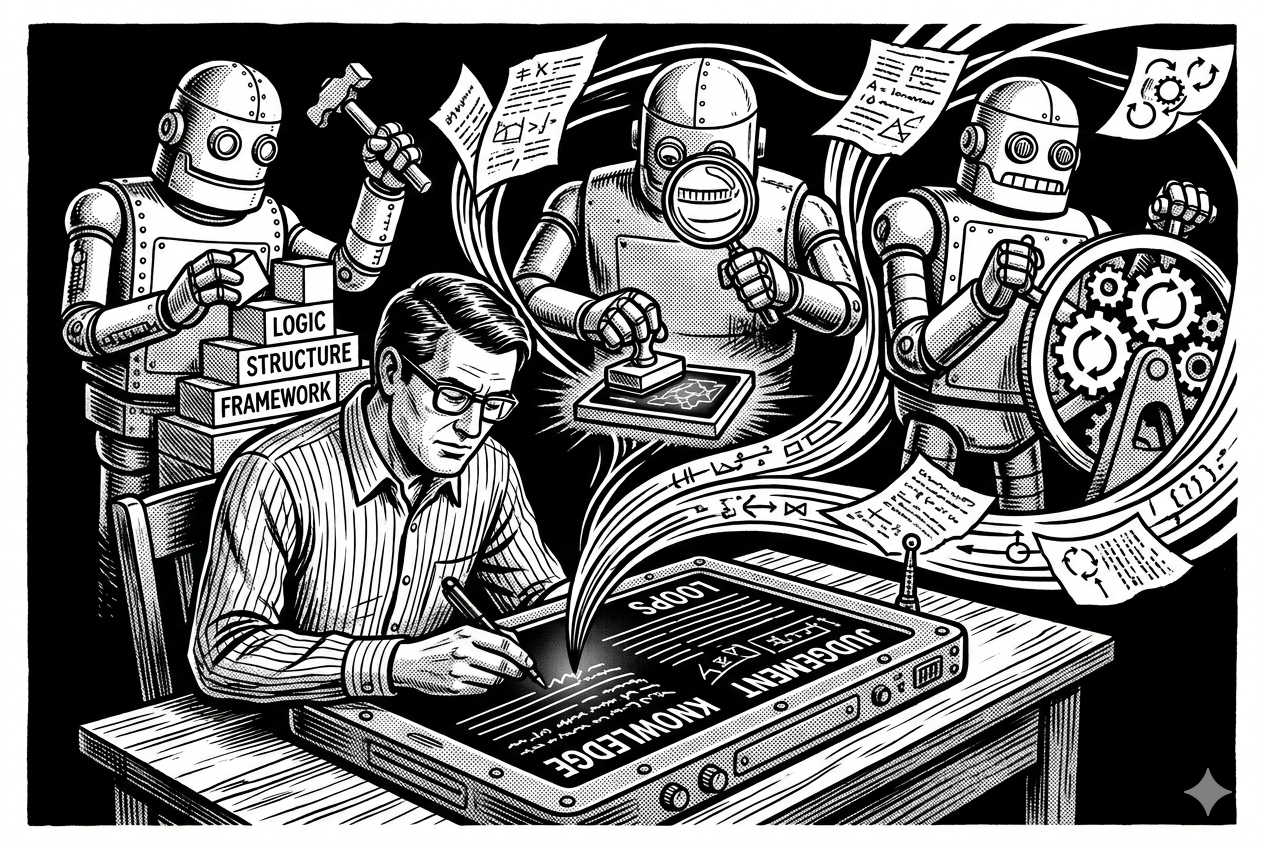
Yes, AI can write code. But running a product is not all about writing code.
In a week, a food pantry running my software might ask for a person’s age next to their birthdate so the front desk stops doing the math, a warning before they enter someone twice, and a couple of small bug fixes. Each one has to be understood, decided on, built, checked on a real screen, and shipped. Hardly any of that is syntax.
Coding was never the bottleneck, just the work you had to do. Once AI takes most of it, “Can I get this built” barely registers, and your attention moves to where the work always was: can I trust what got built, and was it the right thing to build at all?
That’s where process comes in. You answer those questions with a system built around AI, and that system, not the code it writes, is what’s past code generation.
Several of those asks can be moving through it at once: triaged, specced, built, checked, shipped.
I run Boswell, lightweight case-management software for community nonprofits like food pantries and shelters. I do it more or less by myself. It’s $30 a month per location, used by barely-trained volunteers and by managers who need data for compliance and funding.
This is how I structure the system:
- Knowledge: the company’s strategy and standards, written down where the system can apply them.
- Judgment: deciding what to build and what to refuse, alignment with company ideals, good UX, and a genuine win for the customer.
- Loops: building each change, proving it’s right, and looping back to fix whatever doesn’t measure up before it ships.
Plenty of rules run the system, but two govern the rest: no part of it grades its own homework, and nothing critical ships without me as the final judge.
Knowledge: write the company down
Knowledge for an AI to generate code is important, but it’s a sliver of what matters when you’re transforming operations.
Your mission, your product and its boundaries, what customers expect, the architecture, the UX rules: written down, all of it does two jobs. It guides what the system makes, and grades what comes out.
You start by writing the company down, not as documentation but as the standard the system works from. For Boswell, it begins with what the product is for: helping community nonprofits skip the paperwork and serve more people. A few principles hold the rest together:
- Simple enough for an untrained volunteer. The least comfortable person with technology is the bar. If it needs a tutorial, it’s too complicated. When a new feature has to exist and the first cut feels complex, keep iterating until it isn’t.
- Do a few things well and refuse the rest. Fast intake, client lookup, service tracking, funder reporting. Not donor management, not accounting, not an EHR. Half of staying simple is writing down what you refuse to become.
- Everything serves the mission. Each change has to help the orgs serve more people with less admin, survive constant volunteer turnover, and protect the funding that depends on clean reporting. If it doesn’t, it doesn’t belong.
Good UX gets written down too. “Looks fine” is not knowledge. Neither is “bad UX.” The system can’t check a vibe, only something specific:
- Text stays readable against whatever’s behind it.
- Elements get room to breathe, not crammed together or lost in padding.
- Nothing overlaps that isn’t meant to.
- It holds up on a phone, not just a laptop.
The system also needs to know how to write code, so you build that knowledge up too:
- Coding standards and conventions.
- The architecture.
- What counts as tested, and at what level.
- How errors are handled.
These are just examples, there are a ton more.
None of this is exotic; it’s already in your head. The shift is putting it where AI can use it: the system can work on problems alongside you, or overnight on its own, and surface the ones that need a human. Point it at real customer feedback and you’re into judgment.
Judgment: decide what to build, and what to refuse
Customer feedback comes in raw, over email, meetings, support chat. The old instinct is to dump it in a backlog. Each item gets sorted into one outcome first:
- Already ships: point them to it. (“Ships” means reachable in the app, not just sitting in the code.)
- Build it: spec it and open an issue.
- Needs a deeper look: open an issue, research outside the triage cycle.
- Ask the customer more: the real need isn’t clear yet.
- Out of scope: it hits the “we don’t do that” line.
- Not now: real and documented, slotted for later.
Some asks get reshaped before anything is built. A pantry asked for a warning before staff enter someone twice. The need was real, but most of those duplicates came from staff not finding a person already in the system, so better search would prevent most of them. I ran it past a panel of fixed viewpoints (simplicity, the volunteer, scope); they agreed, and it split into two issues: ship search first, follow with duplicate detection.
Code gets judged against the written standard, by checks that have no stake in the answer:
- A gate runs the tests, a style check, and a security scan: all green, or it fails.
- A separate reviewer reads the change cold.
UX gets judged on the rendered screen against those same written rules. An agent drives a browser and reads the page itself, the real colors and layout, not just a screenshot, then checks the specifics: contrast, crowding, overlap, whether it still works on a phone.
Loops: build it, prove it, learn and maybe try again
Inside the loop a worker uses the written knowledge to do the task, a judge decides if it passes, and a miss sends it back, all bounded by a circuit breaker so it can’t spin forever. You sit on top of it and get pulled in only for the call to ship, which the harness guards by refusing to skip a check or merge on its own.
   set the bar
        |
        v
      build <------+
        |          |
        v          | fix & retry
      judge --no---+
        |
       yes
        |
        v
       ship
A search feature got built, its tests passed, and it moved to QA. There an agent searched a phone number with a dash, the kind of input the build had left out of its edge cases, and nothing came back. It got kicked back, the coding agent beefed up the edge cases, and the next pass cleared.
What makes it run without me hovering is a few off-the-shelf layers: agent hooks that auto-format and block the command that would skip the checks, git pre-commit hooks that stop a broken change from becoming a commit, and an outer loop that sequences build, judge, and retry. I run it on Claude Code, but the shape is the point, not the tool.
Every no is a chance to grow the knowledge, and some of it I shape myself. On that same search, I wanted the “matched” label to catch the eye without shouting; the first try was colored text that failed the contrast bar, so it became a soft amber tag instead. The standard keeps growing, some from what the system finds and some from what I tell it, and it leans on me a little less each time.
Past the code
Strip the tooling away and the move is one any operator can steal, no AI required: write down the judgment you keep making by gut. Your “what we do not do” list, the questions every request has to pass, the bar you’d want a new hire to clear on day one without you in the room. Once it’s on the page, something can apply it consistently, whether that’s a checklist, a hire, or a model.
That’s where AI stops being a code generator and becomes an engine for running the company’s judgment. Knowledge makes it consistent, the calls you keep for yourself make it yours, the loops keep it honest, and the code is almost a side effect. The expanded search shipped clean, so staff who kept entering people twice can now find the one already there, and the duplicate warning they first asked for is the fast-follow.
Start small
You don’t have to build all of this to get something from it. Start with the cheapest piece: put one page of your standards where your agent can read it, and add one check it can’t skip. That alone is a lite version of the loop, and it earns its keep on day one.
A few open projects are worth trying or borrowing from:
- Superpowers: a skills framework and a library of ready-made coding agent skills.
- OpenSpec: spec-first development, so agents build against a written spec.
- GSD-core: a workflow that plans, executes, verifies, and ships.